A little planet
A world on one sphere. Pull out hills, push in seas, and fill in biomes.
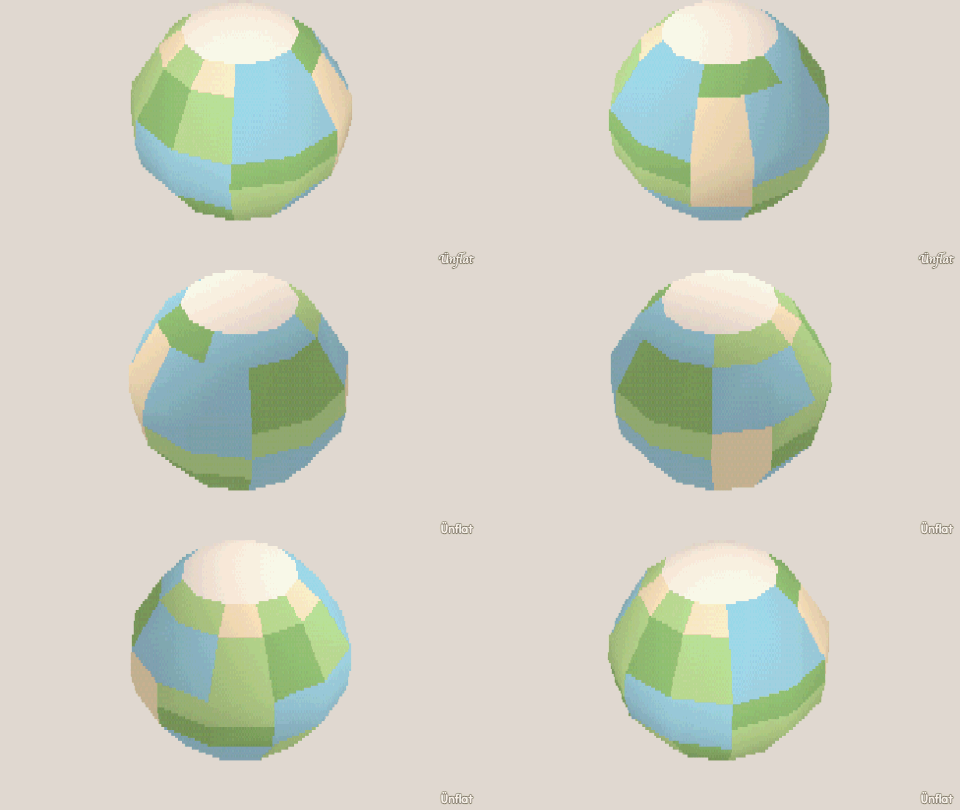
Video coming soon. The written walkthrough below is the whole build.
The finished meshling
Have a look, or take the .glb: it drops straight into a game engine.
Written walkthrough
Build a planet on one sphere: hills, seas, and biomes.
1. Start from a sphere
Make a new fig. On the How big a world? row, select Balanced for the size . Then place one Sphere, as large as the steppers allow. The planet is one piece.
2. Raise the hills
In Build, select a few small patches around the sphere and press Pull out once or twice on each. Keep the hills low and wide so the seas have room. Each face grows the way it points, so the hills point outward from the planet.
3. Carve the seas
Select the regions between the hills and press Push in once, with the Floor row on Scoop so the sea floors keep the sphere’s curve. One step down is enough.
4. Paint biomes
In Color, tap faces, tap a swatch, then press Fill. Fill the basins blue, the lowlands green, and the hilltops pale stone, patch by patch. Open Paint on a green patch and dot in a few darker pixels for trees.
5. Export the .glb
Export the .glb , and make a
rotating Loop in
The Camera .
The fig above is this planet: orbit it, or download the .glb.