Build a gift box
A wrapped present with a raised ribbon, built with Pull out and Draw a shape.
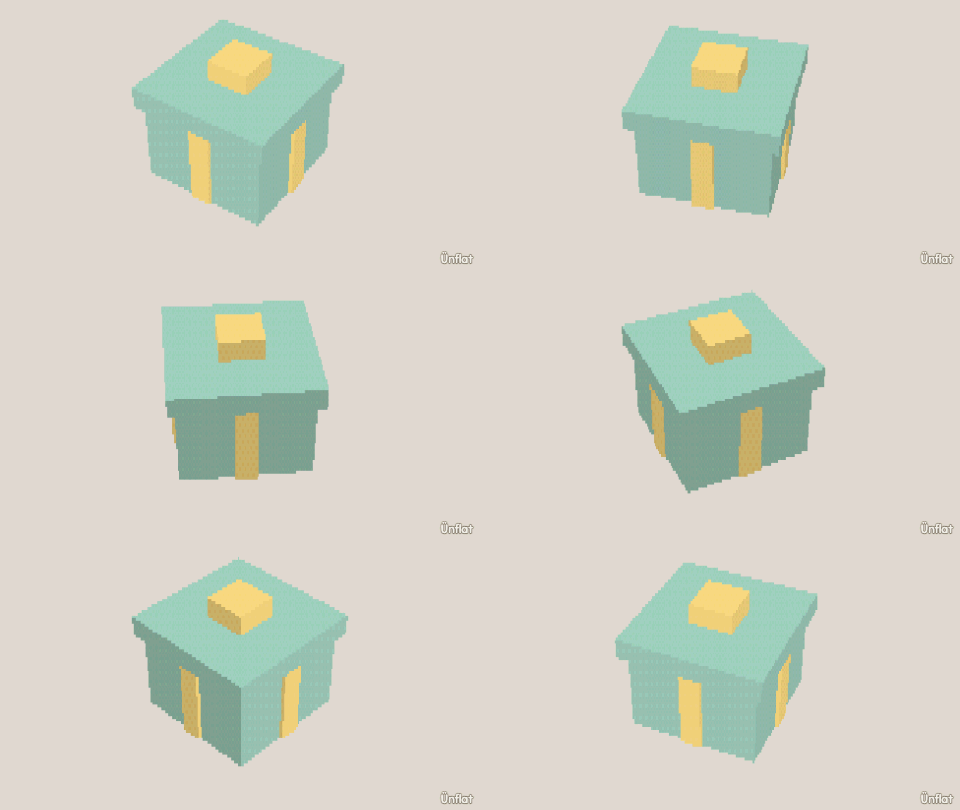
Video coming soon. The written walkthrough below is the whole build.
Written walkthrough
Build a wrapped present with a raised ribbon using Pull out › Draw a shape , which grows part of a face instead of all of it. (Pull out on the whole top would make the box taller.)
1. Drop the box
Drop a Cube on open floor.
2. Raise the ribbon
Switch to Build and press Pull out › Draw a shape. Tap the front face (dots appear) and trace a tall strip up the middle, inside the face’s edges, then tap the first dot again to close the loop. Set Height to 1 and press Pull it out. Do the same on the top face so the ribbon wraps over the box.
3. Build the bow
Still in Pull out with Draw a shape, trace a small square in the middle of the top, on the ribbon, and Pull it out one step. That block is the knot of the bow.
4. Color it
The ribbon and bow are their own faces now. In Color, open the Select bar on the right edge and enable Brush : one swipe selects the whole ribbon strip. Tap a swatch, then press Fill ( Fill ). Fill the box a second color.
Pull out with Draw a shape and Push in with Draw a shape make windows, name plaques, chocolate squares, and anything else that rises from or sinks into the middle of a face.