Build an instant camera
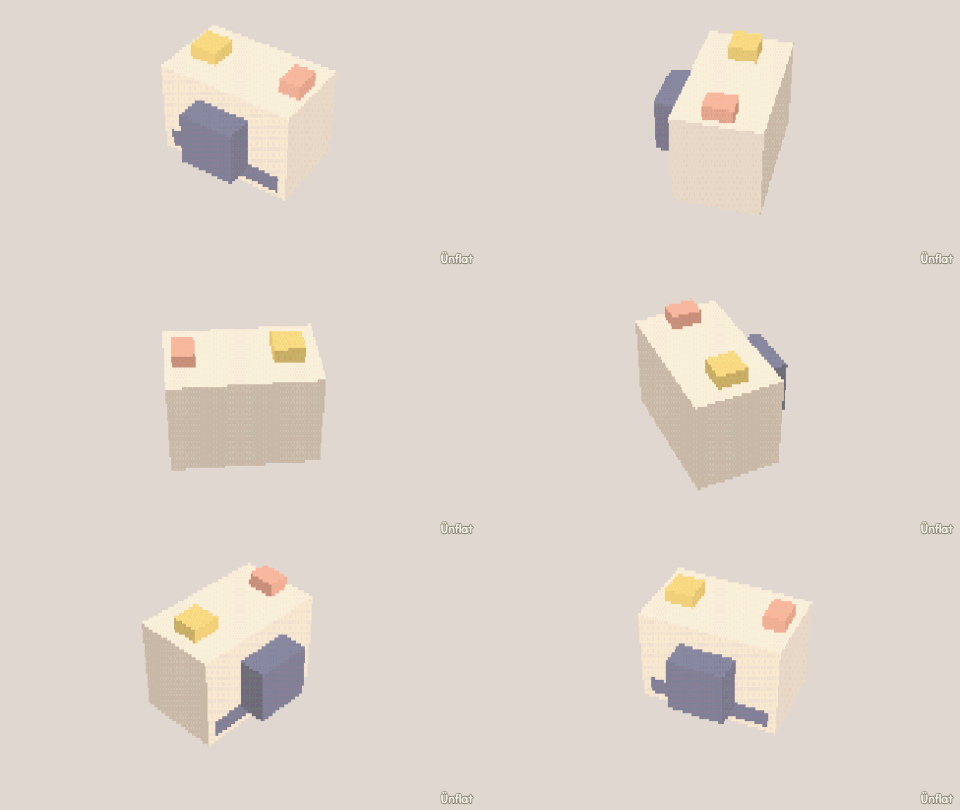
A camera body with a recessed lens, a viewfinder, and a tilted front.
Video coming soon. The written walkthrough below is the whole build.
Written walkthrough
Build an instant camera: a lens housing, a recessed lens, a viewfinder, and a tilted front.
1. Drop the body
Drop a Cube, wider than tall.
2. Build the lens housing
In Build, press Pull out › Draw a shape , tap the front face, and trace a square in the middle. Close the loop and Pull it out one step.
3. Recess the lens
On the Build card, tap the middle faces on the housing’s front and press Push in . The rim left standing is the lens ring.
4. Build the viewfinder
Pull out with Draw a shape again: a small square on the top, pulled out one step.
5. Angle the front
In Adjust, tap Tilt , tap the body’s top ring, select the Which way slot that runs front to back, and press one of the two Tilt buttons on the Steps card once. The front slopes, and the viewfinder tilts with it.
6. Paint the rainbow stripe
Fill the body white and the lens dark, then open Paint and paint the rainbow stripe down the front beside the lens.
To photograph the camera, open The Camera and select Iso in the Angle row.