Build a birdhouse
A cube, a roof, a perch, and a round doorway cut with Push in › Draw a shape.
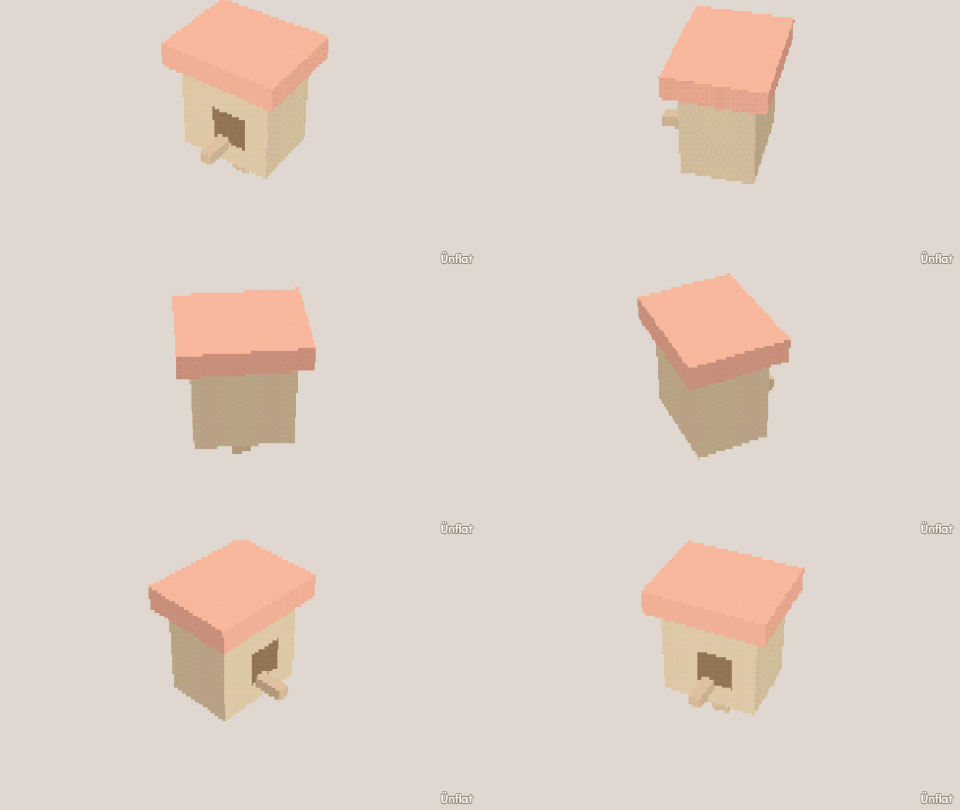
Video coming soon. The written walkthrough below is the whole build.
Written walkthrough
Build a birdhouse with a doorway cut by Push in › Draw a shape .
1. Add the house and roof
Drop a Cube on open floor. Select the Pyramid, tap the cube’s top so the preview appears on it, and Drop.
2. Cut the doorway
Switch to Build, tap Push in, set the top row to Draw a shape, and tap the front face. Trace a doorway on the dot grid (an octagon makes a round door) and close the loop. Set the switch to All the way through; the button reads Cut through. Press it. The doorway opens in the shape you drew.
3. Pull out a perch
On the Build card, tap one of the small faces under the doorway (the cut split the wall into smaller faces) and press Pull out for a perch.
4. Color it
Fill the walls brown and the roof darker. Or put a shingle pattern on the roof and paint a name over the door.
Size the door for the bird: big and round for an owl, small for a wren.